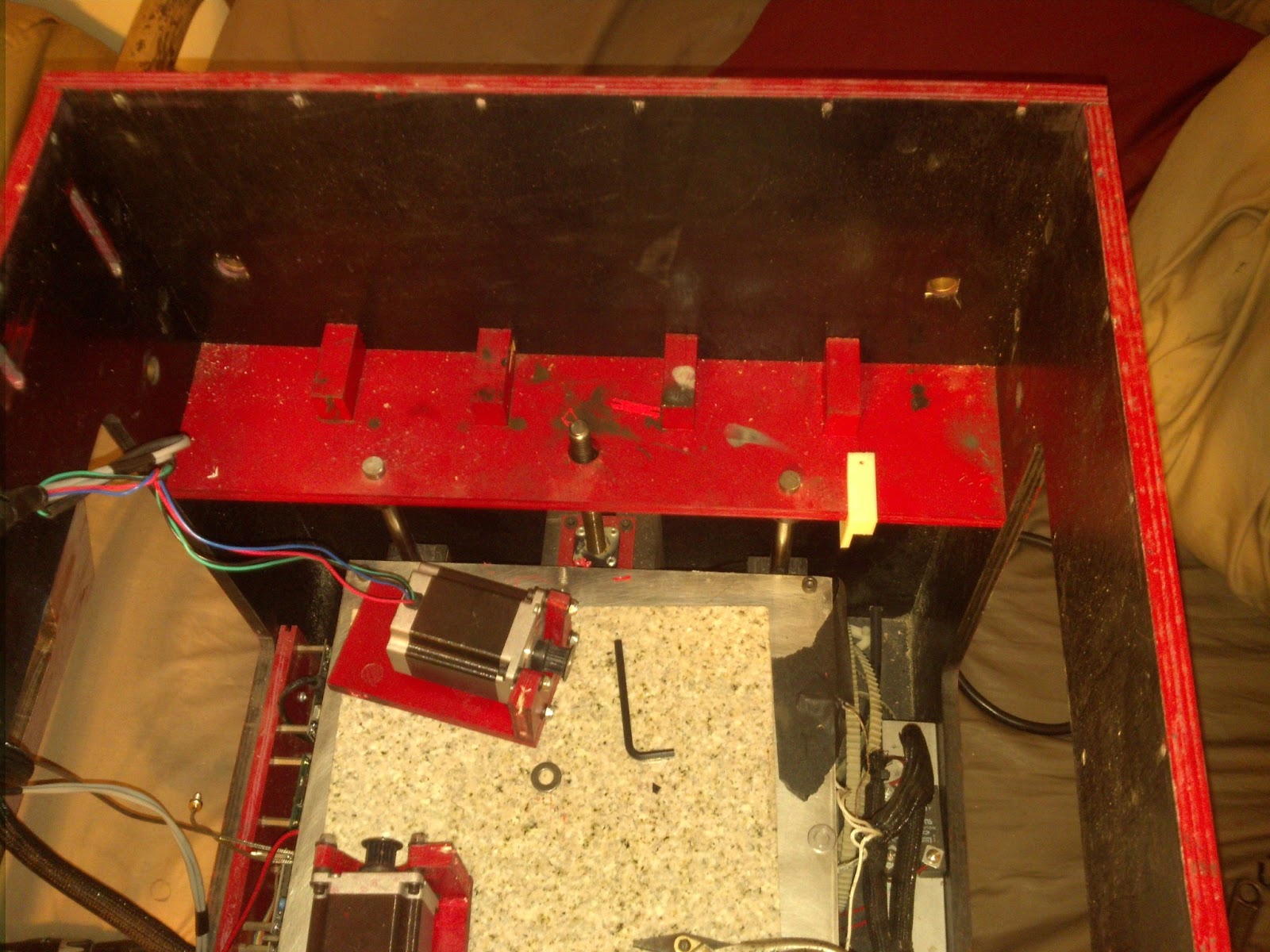
So there is this problem that effected my first printer the Boxed Reprap I called it, the problem was that prints would lean in one direction, always the same direction. This printer was very large and used the gen 3 electronics from makerbot. Solution is at bottom.
With help from every one that would volunteer help in the opensource 3D printer world I checked many many different possibilities:
Stepper drivers: I swapped them around, still leaning
Steppers: swapped them around, still leaning
Checked for binding, axes would move very smoothly in any direction
Z axis was vertical
I could not get this printer in the end to print perfectly vertical it was missing or skipping steps, I eventually assumed it was from the print bed being so heavy, since it started when I went to a moving bed setup, and it was such a large bed.
So came Artifex, my current printer Designed in cad to keep friction and weight down made the printer significantly smaller, kept the same build area, and reused almost all of the mechanics except for the ball screws. This printer is built with the Ultimaker as inspiration.
Prints still leaned, the printer had all new electronics, different bearings different mechanics I didnt understand, even the steppers where different and new. So I had to continue to troubleshoot.
After doing all of the same troubleshooting again I came upon the cause by accident, it was the computer. The more cpu intensive work I was doing on the computer while printing, the more the part would lean, stop doing pc work and it would lean less.
Solution: So I printed from SD card, prints leaned less, then I printed from SD card and unplugged from the computer, leaning was gone!
There was so many more things that I tried, but I was so mad at myself for not figuring it out sooner, but without mistakes we will never learn.
Boxed Reprap
A continuing journal for my 3D printer project which is based off of the RepRap project.
Tuesday, December 11, 2012
Monday, December 10, 2012
Artifex
Not many updates recently, but I will post a picture of Artifex, the printer I built last year.Artifex works remarkably well, it is based of of the Ultimaker design. It uses linear sliding bearings in the guide blocks closest to the frame and linear bearings on the extruder carriage.
The problem that I had with Artifex was getting the holes in the extruder carriage perfect for sliding bearings before I decided to go with linear bearings.
specs:
.9 degree nema 23 steppers around 2 thou per step at 8X micro-stepping
gen 4 electronics without the extruder controller
heated bed
PID control for extruder and bead
acme screw z axis
MK7 Hotend
In the coming days I will post about my projects from last year. I hope to start working on my printer again soon.
Future Posts include: Pictures of a few prints, an interesting problem that caused prints to print crooked with no obvious pattern, making an extruder carriage out of urethane resin, maybe a clip of my printer doing the imperial march, and I may even include some pictures of my non printer project the "Skate-Cart" a gocart skateboard combination death trap of a device. I was even working on a Semi easy 1.75mm to 3mm swap for the MK7, only because I have some 3mm plastic left.
Well thanks for reading and enjoy!
The problem that I had with Artifex was getting the holes in the extruder carriage perfect for sliding bearings before I decided to go with linear bearings.
specs:
.9 degree nema 23 steppers around 2 thou per step at 8X micro-stepping
gen 4 electronics without the extruder controller
heated bed
PID control for extruder and bead
acme screw z axis
MK7 Hotend
In the coming days I will post about my projects from last year. I hope to start working on my printer again soon.
Future Posts include: Pictures of a few prints, an interesting problem that caused prints to print crooked with no obvious pattern, making an extruder carriage out of urethane resin, maybe a clip of my printer doing the imperial march, and I may even include some pictures of my non printer project the "Skate-Cart" a gocart skateboard combination death trap of a device. I was even working on a Semi easy 1.75mm to 3mm swap for the MK7, only because I have some 3mm plastic left.
Well thanks for reading and enjoy!
Friday, December 23, 2011
Not 3D printing, Freddy Kruger glove
I have been working on lots of small projects recently, this one I started a few years ago, by making one finger. Recently I decided to work on it a little more so I made the other 3 fingers the blades and the top hand piece. Everything but the blades are made of copper, the blades are made of aluminum. All parts are riveted together and the blades are brazed on. How the glove sits now is probably how it will sit for awhile.
Picture:
Monday, October 17, 2011
Monstrous Powerful Large Ultimakerish Clone
It has been awhile since I have made any updates, I have been working on my printer with a moving bed design, and not liking it. So I have decided to go back to a moving extruder, but this time unlike my last moving extruder design im going to imitate the Ultimaker style XY and makerbot/ultimaker style z axis.
First 2 pics of the mockup in Autodesk inventor:


The first thing you may notice is the all wood construction, the box will be constructed from rough oak milled and jointed to my specifications. You may also notice the box joints, these serve to purposes one strength and two cosmetic. This printer will be built to perform and to look stunning.
You may also notice that all mounts for the steppers, rods, idlers are all integrated into the framework of the printer, this is for simplicity of parts and again I believe it will help with strength.
Only 4 printed parts, they are the moving XY rod carriers.
I still need to do alot of final touches like add fasteners and check for interferences, but if it all checks out I will start construction towards the end of this month early next month. Just need to borrow some wood working tools from my dad.
Stats:
Steppers XY axis 2 motors Nema23 .9 degree step 260+ oz-in, Z axis 1 motor Nema 23 400+ oz in
Electronics Makerbot gen 4 with X8 micro stepping
1/2" linear bearings
4 linear bearing rods on Z axis
1/2-10 acme lead screw on Z axis
MK7 Hot end
Heated bed from last printer
12" x 12" x 16" build area or for yall across the pond 304.8mm x 304.8mm x 406.4mm
First 2 pics of the mockup in Autodesk inventor:


The first thing you may notice is the all wood construction, the box will be constructed from rough oak milled and jointed to my specifications. You may also notice the box joints, these serve to purposes one strength and two cosmetic. This printer will be built to perform and to look stunning.
You may also notice that all mounts for the steppers, rods, idlers are all integrated into the framework of the printer, this is for simplicity of parts and again I believe it will help with strength.
Only 4 printed parts, they are the moving XY rod carriers.
I still need to do alot of final touches like add fasteners and check for interferences, but if it all checks out I will start construction towards the end of this month early next month. Just need to borrow some wood working tools from my dad.
Stats:
Steppers XY axis 2 motors Nema23 .9 degree step 260+ oz-in, Z axis 1 motor Nema 23 400+ oz in
Electronics Makerbot gen 4 with X8 micro stepping
1/2" linear bearings
4 linear bearing rods on Z axis
1/2-10 acme lead screw on Z axis
MK7 Hot end
Heated bed from last printer
12" x 12" x 16" build area or for yall across the pond 304.8mm x 304.8mm x 406.4mm
Monday, May 30, 2011
Custom .25mm MK5 nozzle and Monitor Mount
I wanted a way to mount the monitor and be able to move it out of the way. What I decided to do is add drawer slides rated for 100lbs to the inside of the printer box on the slide is a hinged arm that the monitor and its electronics are mounted too. Its easiest to explain by showing pictures:


I also got the extruder up and going with my MK5 style nozzle with a .25mm orifice, the extruded ABS measured .30mm in diameter, the test was completed at 450 degrees F. If there is interest I may make a tutorial on how to make the nozzles or make a few and post them on eBay for sale. They are made of brass unlike the Makerbot stainless nozzles.


I also got the extruder up and going with my MK5 style nozzle with a .25mm orifice, the extruded ABS measured .30mm in diameter, the test was completed at 450 degrees F. If there is interest I may make a tutorial on how to make the nozzles or make a few and post them on eBay for sale. They are made of brass unlike the Makerbot stainless nozzles.
Sunday, May 29, 2011
Z Axis Success and Starwars
A few days ago I received my timing belts for the Z axis and the 115 tooth belt was a perfect fit. After installing the belt I noticed that my alignment was off enough that the belt could come off the pulley, so I made a "flange." The flange, which you will see in a video posted below, also doubles as a Z axis adjustment knob.
As I did with the XY axis I added a substantial amount of weight to the z axis probably about 10 pounds to test the movement. In RepG it would jog at about 400 mm/min with out the axis being calibrated. It takes about a min for it to move through its 12ish inches of movement.
My new thermocouples came in, they are way to long but that was purposely done. The bed PID controller was bad, so I ordered a slightly better new one for the extruder and the old extruder one will be used on the bed.
I received some electronics from China that make it possible to use an old laptop monitor as a computer monitor using VGA or DVI.
Link: LCD Controller Board Kit with DVI Interface
It works flawlessly. I am now working on a over built monitor stand that includes drawer slides and cabinet hinges and the hinges from the laptop.
Tomorrow I plan on attaching the thermocouple to the hot end, calibrating the XYZ axis, and test the extruder to make sure that my nozzle works properly.
The video is of the printer playing the well known "Imperial March" gcode from the makerbot website.
As I did with the XY axis I added a substantial amount of weight to the z axis probably about 10 pounds to test the movement. In RepG it would jog at about 400 mm/min with out the axis being calibrated. It takes about a min for it to move through its 12ish inches of movement.
My new thermocouples came in, they are way to long but that was purposely done. The bed PID controller was bad, so I ordered a slightly better new one for the extruder and the old extruder one will be used on the bed.
I received some electronics from China that make it possible to use an old laptop monitor as a computer monitor using VGA or DVI.
Link: LCD Controller Board Kit with DVI Interface
It works flawlessly. I am now working on a over built monitor stand that includes drawer slides and cabinet hinges and the hinges from the laptop.
Tomorrow I plan on attaching the thermocouple to the hot end, calibrating the XYZ axis, and test the extruder to make sure that my nozzle works properly.
The video is of the printer playing the well known "Imperial March" gcode from the makerbot website.
Wednesday, May 25, 2011
XY axis Test
In the last post I mentioned that I had tested the movement of the XY axis, I have finally gotten around to uploading it to YouTube. It will be posted bellow.
XY axis information:
build area: 11"x11"
Build plate: 12"X12"
Steppers: Nema 23 160 oz-in if I recall, 3 in total for XY
belts/pulleys: 11 tooth plastic commercial pulleys .2" pitch
Linear Motion: Thompson Linear bearings on 1/2" shaft
After filming this video I decided to raise the Z axis and put a 10lb back of grout on top of the build axis to see if it seamed to loose steps or stop working. It remained working like that for the remainder of the 20min print. Afterwards I used rep z to do the maximum length jog at 4000mm/min and even with the excessive weight it preformed perfectly!
any other questions just ask.
I decided to measure the Z axis for the proper belt and I ordered 2 belts 115 and 119 tooth belts both 3mm pitch. Im hoping I can get the 115 tooth belt to work without a tensioner, if not I will use the 119 with a tensioner.
Right now I am hoping that the z axis will perform just as well as the XY axis. The z axis has always been the hardest part for me. I still need to work on some adjustments on it though.
XY axis information:
build area: 11"x11"
Build plate: 12"X12"
Steppers: Nema 23 160 oz-in if I recall, 3 in total for XY
belts/pulleys: 11 tooth plastic commercial pulleys .2" pitch
Linear Motion: Thompson Linear bearings on 1/2" shaft
After filming this video I decided to raise the Z axis and put a 10lb back of grout on top of the build axis to see if it seamed to loose steps or stop working. It remained working like that for the remainder of the 20min print. Afterwards I used rep z to do the maximum length jog at 4000mm/min and even with the excessive weight it preformed perfectly!
any other questions just ask.
I decided to measure the Z axis for the proper belt and I ordered 2 belts 115 and 119 tooth belts both 3mm pitch. Im hoping I can get the 115 tooth belt to work without a tensioner, if not I will use the 119 with a tensioner.
Right now I am hoping that the z axis will perform just as well as the XY axis. The z axis has always been the hardest part for me. I still need to work on some adjustments on it though.
Subscribe to:
Posts (Atom)